DigCompEdu Competence area
Progression Level
Minimum digital skills level of Students
Minimum digital skills level of Educators
Learning/Teaching situation
The recipe is aimed at educators who wish to motivate their students create original videos (given a specific topic) and upload to YouTube.
Target group
Any kind of teacher or trainer.
Basic level of digital pedagogy competences.
Ingredients
- PC/laptop/smartphome
- Internet connection
- Email account
Description
This recipe gives the teacher a tool to control and assess the workgroup of the students.
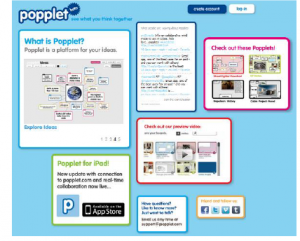
Popplet is a “platform for your ideas”; from a blank sheet we can add Popplets to organize the information, as each Popplet is an idea, concept, image, etc.
How to do it (step by step)
Step 2
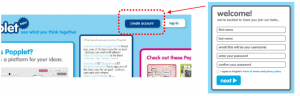
Like most cloud applications, Popplet requires registration prior to use
Popplet has recognized compatibility problems with Internet Explorer.
Step 3
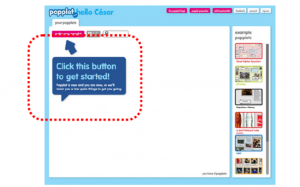
On the desk you can see a large work area and another, located on the right, where you can see different examples. The first time you access Popplet, a large blue box appears indicating what you must do to create a new Popplet project.
Step 4
In the upper right area of the desktop you will see a set of buttons that offer, on the one hand, access to different links (fuchsia color) and on the other hand to specific work options of our Popplet user (white color).

Step 5
Once registered you have permission to create up to 5 different popplets.
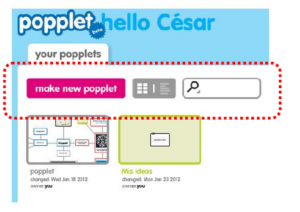
By clicking on the button “make new popplet” you can start working. The first step forces you to assign a name to the new document and a background color.
Step 6
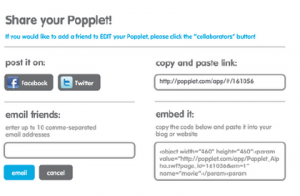
Once created through the “share” button (upper right area of the desktop), you can share a project.
Step 7
The options are very varied:
– Post a post on Facebook or Twitter.
– Send an email to a friend.
– Copy and paste a link.
– Embed the Popplet.
Step 8
Propose an idea for different groups in the class and a deadline for the task.
Step 9
Assess the workgroup while you help the students to develop their workgroup skills.